How do you show up in Google AI Overviews? What Google actually requires
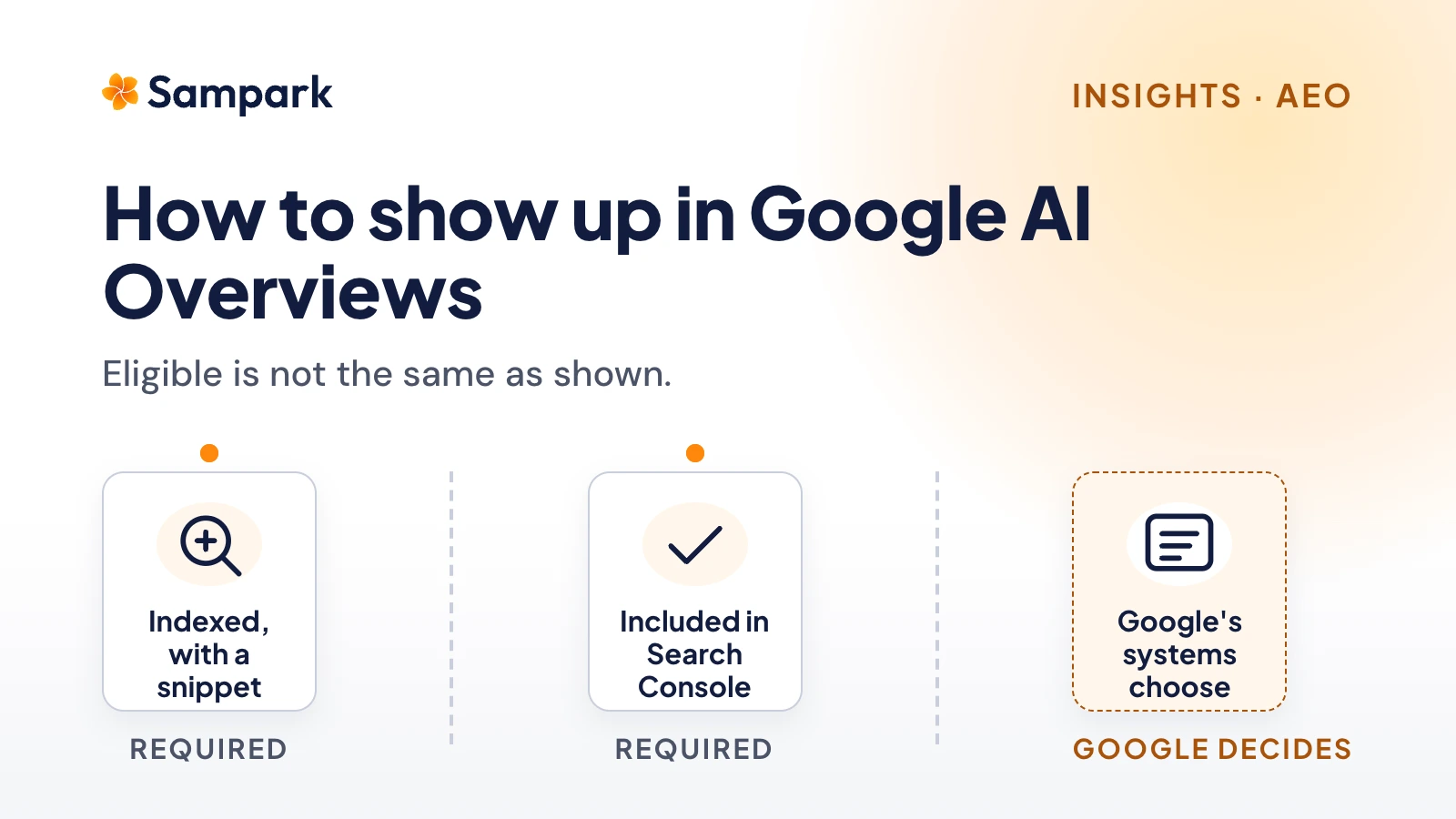
Google says there is no special trick for AI Overviews. A page must be indexed and able to show a snippet, and your site must be included through a Search Console setting that starts on Include. This guide sorts Google's own documentation into what's required, what helps and what you can skip.
On this page
Google says there is no special route in. On its page about AI features and your website, Google says there are “no additional requirements to appear in AI Overviews or AI Mode, nor other special optimizations necessary.” A page has to be indexed and able to show a snippet in Google Search, and your site has to be included through the Search generative AI control in Search Console, which starts on Include. After that, the work is ordinary SEO: crawlable pages, useful text, accurate Business Profile and Merchant Center details, and structured data that matches what the page shows.
Meeting those conditions makes a page eligible. It doesn’t mean Google will show it.
This guide sorts Google’s own documentation, as we read it on November 27, 2026, into three lists: what Google requires, what it says helps and what it says you can skip. Each point links to the Google page it comes from. It covers Google Search only. For ChatGPT, see our guide to why ChatGPT doesn’t recommend your business.
What Google requires before a page can appear
Google documents two conditions. Most sites already meet both without knowing it, which is why they’re easy to overlook when something goes wrong.
The page is indexed and can show a snippet
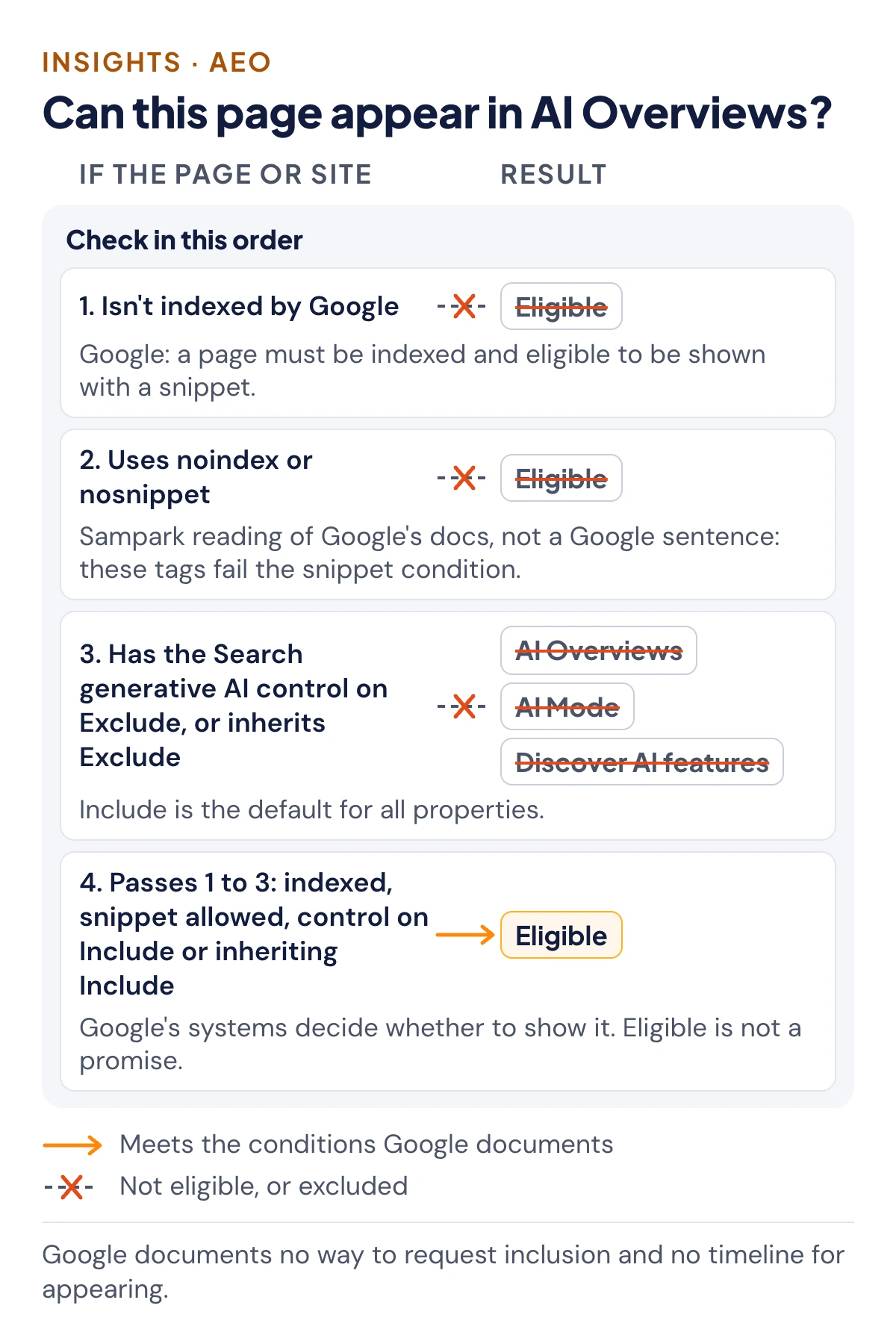
To be eligible as a supporting link in AI Overviews or AI Mode, Google says a page must be “indexed and eligible to be shown in Google Search with a snippet.” The same page says there are “no additional technical requirements.”
That rules out two kinds of page. A page Google hasn’t indexed can’t qualify, and neither can a page that uses noindex or nosnippet, because those tags remove the page or its snippet from Google Search. If an important service page never shows up anywhere in Google, AI features are not the first problem to solve.
Your site is included through the Search generative AI control
Google’s guide to optimizing for generative AI features lists a second condition: the site must be included in Search generative AI features in Search Console. That setting is the Search generative AI control. According to Google’s help page:
- Include is the starting point. Google calls it “the default control for all properties.” A property that has a parent property defaults to Inherit instead.
- It’s available everywhere. Google says it rolled the control out to all websites worldwide as of August 31, 2026.
- Settings can come from a parent property. A property inherits from its closest parent property that has changed the setting. The owner of a child property can follow the parent or set its own choice.
- Exclude is broad. If you exclude a site, Google says its links and content won’t appear in AI Overviews, AI Mode or generative AI features in Google Discover, its crawled content won’t be used as input to generate an AI response, and it won’t receive traffic or impressions from those features.
- Exclusion is fairly quick. Google says excluded content is removed within 1–2 days after the change goes live, though some content can take longer because of caching and propagation.
Why one Google page mentions the control and the other doesn’t
Google’s AI features page doesn’t mention the control and says there are no additional technical requirements. Its optimization guide lists inclusion through the control as a condition. We don’t read this as a contradiction. Because the control starts on Include, most sites meet the condition without touching anything.
It matters in two situations: someone on your team or an agency switched the setting to Exclude, or your property inherits Exclude from a parent property. Both are worth ruling out, because Exclude removes the whole site from these features.
How Google picks from eligible pages, as far as it says
Google explains the foundations but not the selection. Its optimization guide says SEO best practices still apply because these features “are rooted in our core Search ranking and quality systems,” and it describes optimizing for generative AI search as still being SEO.
The AI features page adds one detail about how answers are built. AI Overviews and AI Mode may use a “query fan-out” technique, running several related searches across subtopics and data sources to develop a response.
What Google’s pages don’t document is just as useful to know. We found no explanation of how Google chooses the sources for any one AI Overview, no timeline for when an eligible page might start appearing, and no way to request inclusion. Treat any guide that offers those three things with caution.
What Google says helps
Google’s list of best practices for AI features is the same list it gives for Search generally. From its AI features page:
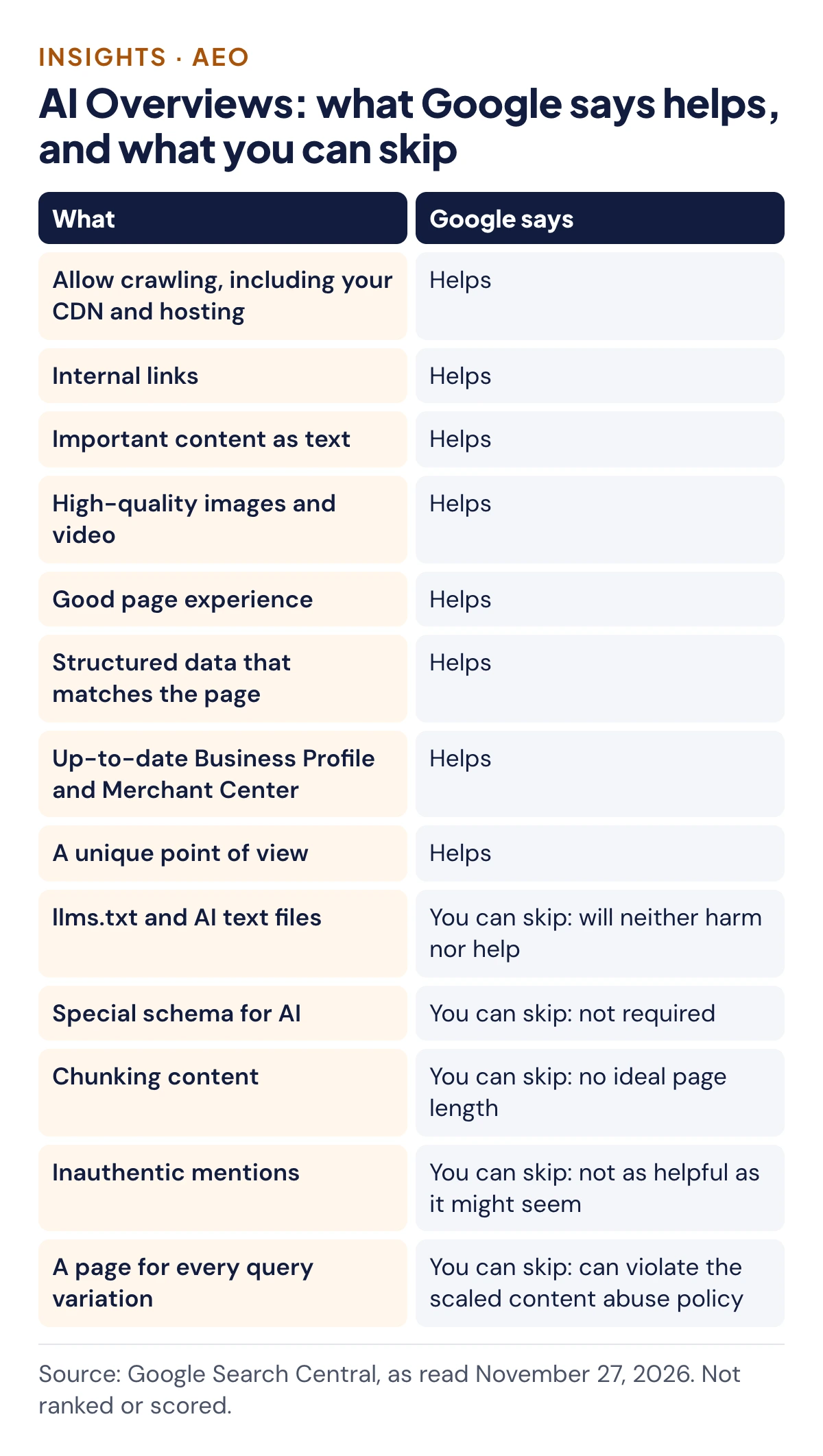
- Allow crawling in robots.txt, and make sure your CDN or hosting setup doesn’t block Google either.
- Make content findable through internal links.
- Make important content available as text.
- Support text with high-quality images and video.
- Provide a good page experience.
- Make sure any structured data matches the text people can see on the page.
- Keep Merchant Center and Business Profile information up to date.
The optimization guide adds two points. It says local business and ecommerce details can help products and services be visible in AI responses and other Search results. And it recommends offering a unique point of view rather than repeating what others have already said.
An illustrative example
This example is illustrative. It’s not a Sampark client, and it shows no measured result.
Picture a family-owned heating and cooling company in Phoenix that sees AI Overviews on searches like “AC repair vs. replacement.” Working through Google’s list, it would:
- Confirm its service pages are indexed and don’t carry a noindex or nosnippet tag.
- Check in Search Console that the Search generative AI control is on Include, or inherits Include.
- Move its service-area list and price ranges out of an image and into page text.
- Update its Google Business Profile hours and service area so they match the website.
- Make sure any structured data on the contact page shows the same address and phone number people see.
- Replace a generic “signs you need a new AC” page with one built on what its technicians actually check before recommending a replacement.
None of these steps is specific to AI. That’s the point Google keeps making.
What Google says you can skip
Google published its optimization guide with a May 15, 2026 Search Central blog post that lists mythbusting common “AEO/GEO” misconceptions among the guide’s contents. AEO (answer engine optimization) and GEO (generative engine optimization) are industry names for making content usable in AI answers. Google’s mythbusting section says you don’t need:
- llms.txt or other special files. Google says you don’t need new machine-readable files, AI text files, markup or Markdown to appear in Google Search, and that an llms.txt file “will neither harm nor help” visibility in Google Search.
- Special schema. Google says no special schema.org structured data is needed for AI features and that structured data isn’t required for generative AI search. It adds that it’s “a good idea to continue using it as part of your overall SEO strategy.” Separately, Google’s AI features page lists structured data that matches the visible text on the page among its SEO best practices.
- Chunking. Google says there’s no requirement to break content into tiny pieces, no ideal page length and no need to write in a specific way just for generative AI search.
- Inauthentic mentions. Google says seeking inauthentic “mentions” across the web “isn’t as helpful as it might seem.”
- A page for every query variation. Google says creating separate content for query variations mainly to manipulate rankings or AI responses violates its scaled content abuse policy. That policy covers many pages generated “for the primary purpose of manipulating search rankings and not helping users.”
This is where Google’s documentation and a lot of popular advice part ways. Guides that say FAQPage or HowTo markup, an llms.txt file or chunked content is needed to get into AI Overviews are not supported by Google’s own pages.
How AI Overviews differ from AI Mode, ChatGPT and other controls
AI Overviews and AI Mode are both Google Search features. Google’s pages give them the same eligibility condition, and the Search generative AI control covers both, along with generative AI features in Google Discover.
ChatGPT is a separate product from a separate company. The Google pages and settings in this guide cover Google Search only. Our ChatGPT visibility guide covers what matters there.
The Search Console control isn’t the only Google setting with “AI” in the conversation. They do different jobs:
| Setting | What Google says it does |
|---|---|
| Search generative AI control (Exclude) | Removes the site from AI Overviews, AI Mode and generative AI features in Discover. Google says it isn’t a ranking or inclusion signal for other parts of Search and doesn’t override choices to participate in Merchant Center or Google Ads. |
| Google-Extended | Limits use of your content for AI training and for grounding in some of Google’s other systems. Google says the Search generative AI control doesn’t affect AI training; Google-Extended governs that. |
| nosnippet, data-nosnippet, max-snippet | Limit what Google shows from a page or part of a page. |
| noindex | Keeps the page out of Google’s index, so it can’t be eligible for AI features either. |
For more on Google-Extended and other companies’ crawlers, see which AI crawlers to allow in robots.txt.
If content still appears in AI features after you add a snippet control, Google suggests using the URL Inspection tool to confirm Googlebot sees the control. It says recrawling “can take anywhere from several days to several months,” and that you can request a recrawl.
How to measure whether you’re showing up
Google points to two places in Search Console.
The Performance report already includes AI features traffic. Google says it’s reported within the “Web” search type and counted in overall search traffic, so it isn’t separated out there.
The Generative AI performance report shows impressions of your site’s links in AI Overviews and AI Mode. You can break it down by Pages, Countries, Dates and Devices. Google says it rolled these insights out worldwide as of August 31, 2026, and that the report may not appear for sites with too few impressions.
Know what that report doesn’t show. Google’s help page, as we read it, describes impressions only. It describes no click, click-through rate or position figure, and no split between AI Overviews and AI Mode. Google’s optimization guide also cautions against third-party tools that claim to use “internal” Google metrics.
Google says clicks from results pages with AI Overviews are “higher quality,” with users more likely to spend more time on the site. It gives no figures or method for that, so treat it as Google’s statement, not a measured result for your site.
Limits and common misreadings
- Eligible doesn’t mean shown. Google documents conditions and controls. It doesn’t promise that any page will appear, and nobody else can either.
- There’s no documented timeline. Google gives no window for when an eligible page starts appearing. The only timings it gives are for exclusion (1–2 days, sometimes longer) and recrawling after a snippet control (several days to several months).
- This is a reading of documentation, not a test. Sampark hasn’t run an experiment on AI Overviews selection for this guide, and we have no Generative AI performance report data to share.
- The documentation changes. The two main Google pages showed no last-updated date when we read them on November 27, 2026. Check the linked pages before you act on a detail.
- Opting out is a trade. If you choose Exclude, Google says your site won’t receive traffic or impressions from these features. Decide that on purpose, not by accident.
What to do next
A short check, in order:
- Confirm your most important pages are indexed and free of noindex and nosnippet tags.
- Open the Search generative AI control in Search Console and confirm Include, or Inherit from a parent set to Include.
- Check that robots.txt, your CDN and your hosting don’t block Google’s crawler.
- Update your Google Business Profile and, if you sell products, your Merchant Center data.
- Drop any plans built only for AI, such as an llms.txt file or a page for every query variation.
- Watch the Generative AI performance report once it appears for your site.
If you’d like a second pair of eyes, Sampark’s answer engine optimization (AEO) team can check whether your pages meet Google’s eligibility conditions and how they appear in the Generative AI performance report. Most of the fixes are ordinary search engine optimization work, and we’ll tell you which ones matter for your site. We won’t promise a place in AI Overviews, because no one can.