Which AI crawlers should you allow in robots.txt? A guide for US business websites
AI companies run different crawlers for search, model training and user-requested visits, and blocking one doesn't block the others. This guide sorts the main bots by job, gives example robots.txt rules, and shows how to confirm what changed.
On this page
If you want your business to show up in AI search tools, allow their search crawlers and decide about model training separately. OpenAI, Anthropic, Google and Apple each document separate controls for search and for training, and Perplexity says its search crawler isn’t used for model training. OpenAI, Google and Apple state directly that opting out of training doesn’t remove a site from their search. The details differ by company, so check each one before you rely on it.
Two cautions come before any rules. First, robots.txt is a request, not a lock: RFC 9309, the internet standard that defines it, says its rules “are not a form of access authorization.” Second, some AI tools fetch a page when a person asks about it, and two of them say robots.txt may not apply to those visits.
This guide covers OpenAI, Google, Anthropic, Perplexity, Apple and Common Crawl, as documented on November 26, 2026, in OpenAI’s crawler overview, Google’s list of common crawlers, Anthropic’s crawler help article, Perplexity’s crawler documentation, Apple’s Applebot page and Common Crawl’s CCBot page. These policies change often, so check the linked pages before you edit a live file.
Three kinds of AI crawler
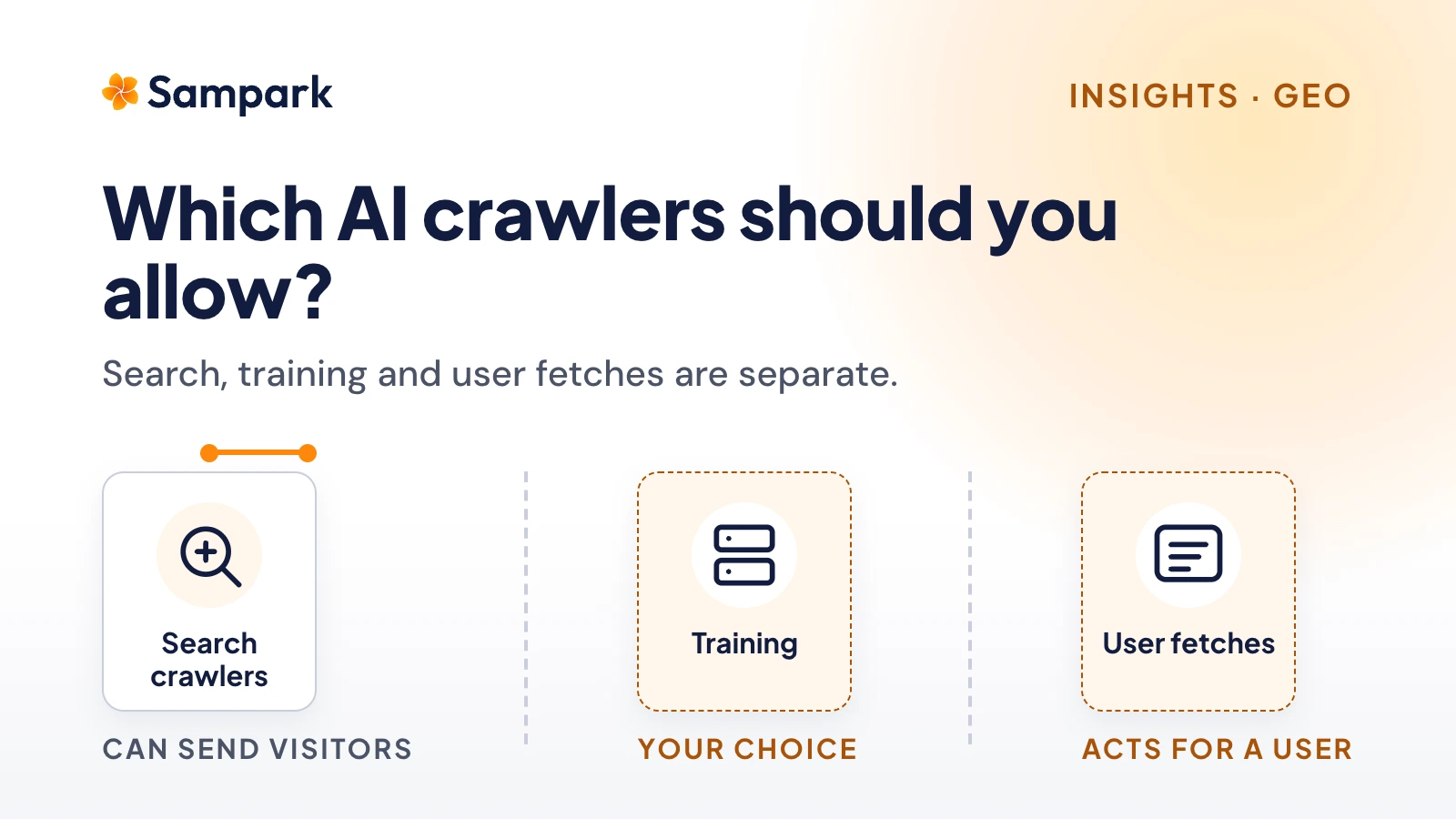
AI companies send different bots for different jobs. Sorting them by job is the quickest way to decide what to allow.
- Search and answer crawlers index pages so the company’s search or answer feature can show and link them. Blocking them can keep your pages out of those results.
- Training crawlers and tokens control whether your content may be used to train AI models. Some are real bots; others are only names you can use in robots.txt.
- User-triggered fetchers visit a page because a person asked the AI tool something. They act for that user, and some don’t follow robots.txt.
The table below sorts the main agents by job, using each company’s own description.
| Company | Search or answer | Training | User-triggered fetch |
|---|---|---|---|
| OpenAI | OAI-SearchBot (ChatGPT search) | GPTBot | ChatGPT-User |
| Googlebot (Google Search) | Google-Extended (token only) | Not covered in this guide | |
| Anthropic | Claude-SearchBot | ClaudeBot | Claude-User |
| Perplexity | PerplexityBot | None (Perplexity says PerplexityBot isn’t used for model training) | Perplexity-User |
| Apple | Applebot (Spotlight, Siri, Safari) | Applebot-Extended (token only) | Not covered in this guide |
The example rules below also include Common Crawl’s crawler, CCBot, which Common Crawl documents how to block. OpenAI also lists OAI-AdsBot, which checks the safety of pages submitted as ads on ChatGPT. Its page doesn’t say whether that bot follows robots.txt.
Before you start
You need three things:
- Access to the file at the root of your domain, for example
https://www.example.com/robots.txt. On WordPress, check whether your SEO plugin manages the file before you edit it by hand. - A list of what you want to allow, using the decision steps below.
- Optional but useful: access to your server or CDN logs, so you can see which bots actually visit.
Keep a copy of your current robots.txt before you change it. One wrong line can block a search engine from your whole site.
Steps
- Read your current file. Open
/robots.txtin a browser and note everyUser-agentgroup. Look for a blanketUser-agent: *withDisallow: /. It applies to every compliant crawler that has no group of its own, including search engines. Apple’s crawler is a partial exception, covered in Step 5. - Keep the search and answer crawlers allowed. OpenAI’s page recommends “allowing OAI-SearchBot in your site’s robots.txt file” if you want to appear in ChatGPT’s search features. Anthropic says disabling Claude-SearchBot “prevents our system from indexing your content for search optimization.” Perplexity describes PerplexityBot as “designed to surface and link websites in search results on Perplexity.”
- Decide on training, separately. The training controls are GPTBot, ClaudeBot, Google-Extended and Applebot-Extended. OpenAI says “disallowing GPTBot indicates a site’s content should not be used in training generative AI foundation models.” Google says Google-Extended “does not impact a site’s inclusion in Google Search nor is it used as a ranking signal in Google Search.” Apple says webpages that disallow Applebot-Extended “can still be included in search results.” Whether to allow training is a business choice, not a visibility requirement. CCBot is a different case: Common Crawl describes its crawl as “an open repository of web crawl data that is universally accessible and analyzable by anyone,” so blocking CCBot stops it crawling your site for that public archive. That affects every use of future crawls, not only one company’s. Common Crawl’s page doesn’t say blocking removes pages it has already archived.
- Remember what Google-Extended covers. Google says it controls use of your content for training Gemini models and for grounding answers in Gemini Apps and Grounding with Google Search on Vertex AI. It is not a separate visitor: “Google-Extended doesn’t have a separate HTTP request user agent string.” For AI Overviews and AI Mode in Google Search, Google points to different, page-level controls, covered in Step 6.
- Write one group per bot. Giving each bot its own
User-agentgroup with its ownAlloworDisallowline keeps the file easy to read and review. The example in the next section shows the layout. Don’t addDisallowlines for Googlebot or Applebot unless you mean to leave Google Search or Apple’s search features. Apple notes that if robots.txt doesn’t mention Applebot but does mention Googlebot, Applebot follows the Googlebot instructions. - Use page-level controls to limit what Google’s AI features show. On its page about AI features and your website, Google says there are “no additional requirements to appear in AI Overviews or AI Mode, nor other special optimizations necessary.” To limit what appears from a page, it points to “nosnippet, data-nosnippet, max-snippet, or noindex controls.” The snippet controls work on individual pages or parts of pages, so you can limit how much of a page is shown without removing it. noindex is different: it keeps the page out of Google Search entirely.
- Watch for the new shared training signal. In an October 2026 Bing post on training and grounding preferences, Microsoft says Bing will honor a robots.txt group named
__usage_ai-trainingfrom February 1, 2027. On its list of common crawlers, Google says it intends to support the same signal in early 2027, using the tokenuser-agent: __usage_ai-training. Anthropic says that on October 30, 2026 it began recognizing a “no AI training” signal based on an IETF aipref draft, rolling it out gradually, and that robots.txt rules naming ClaudeBot take priority over it. Microsoft also says that after March 1, 2027 it will stop reading NoArchive and NoCache as training or grounding preferences. If your site relies on those tags for Bing’s AI features, plan the switch now.
Example robots.txt rules
This example allows the search and answer crawlers, opts out of training and stops Common Crawl’s future crawls. It’s a starting point, not a recommendation for every site. If you’re happy for your content to be used in training, leave the training groups out, and leave out the CCBot group if you’re happy to be in the public archive.
# Search and answer crawlers: allowed
User-agent: OAI-SearchBot
Allow: /

User-agent: Claude-SearchBot
Allow: /

User-agent: PerplexityBot
Allow: /

# Training: opted out
User-agent: GPTBot
Disallow: /

User-agent: ClaudeBot
Disallow: /

User-agent: Google-Extended
Disallow: /

User-agent: Applebot-Extended
Disallow: /

# Common Crawl's public archive: opted out (optional)
User-agent: CCBot
Disallow: /
Add these groups to your existing file rather than replacing it, so your current rules for other crawlers and your sitemap line stay in place.
How to confirm it worked
- Load the live file. Open
/robots.txtin a private browser window and check that your new groups appear exactly as written, with each bot name spelled the way its company documents it. - Allow time. For search results, OpenAI says “it can take ~24 hours from a site’s robots.txt update for our systems to adjust.” Perplexity says “it may take up to 24 hours for our systems to reflect changes.”
- Check your logs, knowing what you won’t see. Real crawlers such as OAI-SearchBot, GPTBot, ClaudeBot, PerplexityBot, Applebot and CCBot can appear in server logs. Google-Extended and Applebot-Extended never will, because they are only robots.txt names. Apple says “Applebot-Extended does not crawl webpages.”
- Verify a bot is genuine before trusting the name. A user agent name alone doesn’t prove who sent a request. Several companies, including OpenAI, Perplexity and Common Crawl, publish their crawlers’ IP addresses as JSON files. OpenAI’s GPTBot list, for example, is at
https://openai.com/gptbot.json.
If it doesn’t work
A bot you blocked still visits. Check whether it’s a user-triggered fetcher. Perplexity says Perplexity-User “generally ignores robots.txt rules” because a user requested the fetch. OpenAI says that for ChatGPT-User, “robots.txt rules may not apply.” Anthropic’s page says its bots honor robots.txt and lists Claude-User among them.
A blocked page still shows up in Google. Google’s robots.txt guide says robots.txt “is not a mechanism for keeping a web page out of Google” and that a disallowed page “can still be indexed if linked to from other sites.” To keep a page out, Google says to use noindex or password protection.
You blocked the wrong thing. A Disallow: / under User-agent: * applies to every compliant crawler without its own group, including search engines (Apple’s exception is in Step 5). Restore your saved copy and add groups one at a time.
Your CDN or firewall blocks bots before robots.txt matters. If you use a CDN or a security service, check whether it blocks bots before they ever read robots.txt. If you allowed a search crawler and it still can’t reach you, those settings are the next place to look. Anthropic notes that blocking IP addresses may not reliably opt a site out, and that robots.txt is the supported method.
Limits of this approach
- robots.txt is a public request, not security. RFC 9309, the standard that defines it, says the rules “are not a form of access authorization.” For anything private, use a login or keep it off the public web.
- Allowing a crawler doesn’t guarantee you’ll appear. These controls make your pages available to a crawler. They don’t make an AI tool cite or recommend you. Being found also depends on what your pages say and whether they answer the question asked.
- Policies change. This guide reflects the companies’ pages as of November 26, 2026. Several announced changes, including the shared training signal and Bing’s new preferences, take effect in 2027.
- Not every AI product is listed here. This guide covers the companies with documented crawlers named above. It doesn’t cover Microsoft’s crawler list in detail, because the relevant help pages couldn’t be checked for this guide.
What to do next
If you’re checking robots.txt because ChatGPT doesn’t mention your business, crawler access is only one of the checks that matter. Our 12-point guide to why ChatGPT doesn’t recommend your business covers the rest, from business details to testing without fooling yourself.
If you’d rather have someone review your robots.txt, CDN settings and AI search visibility for you, Sampark can run that review. We’ll show you what’s blocking which crawler and what we’d change first. No one can promise placement in AI answers, so we won’t.