How to choose your Google Business Profile primary category
Pick the one category that completes \"This business IS a ___,\" as specific as possible but true to your main business. Here's what Google's help pages say, where popular vendor advice contradicts them, and why a category edit can send you back to verification.
On this page
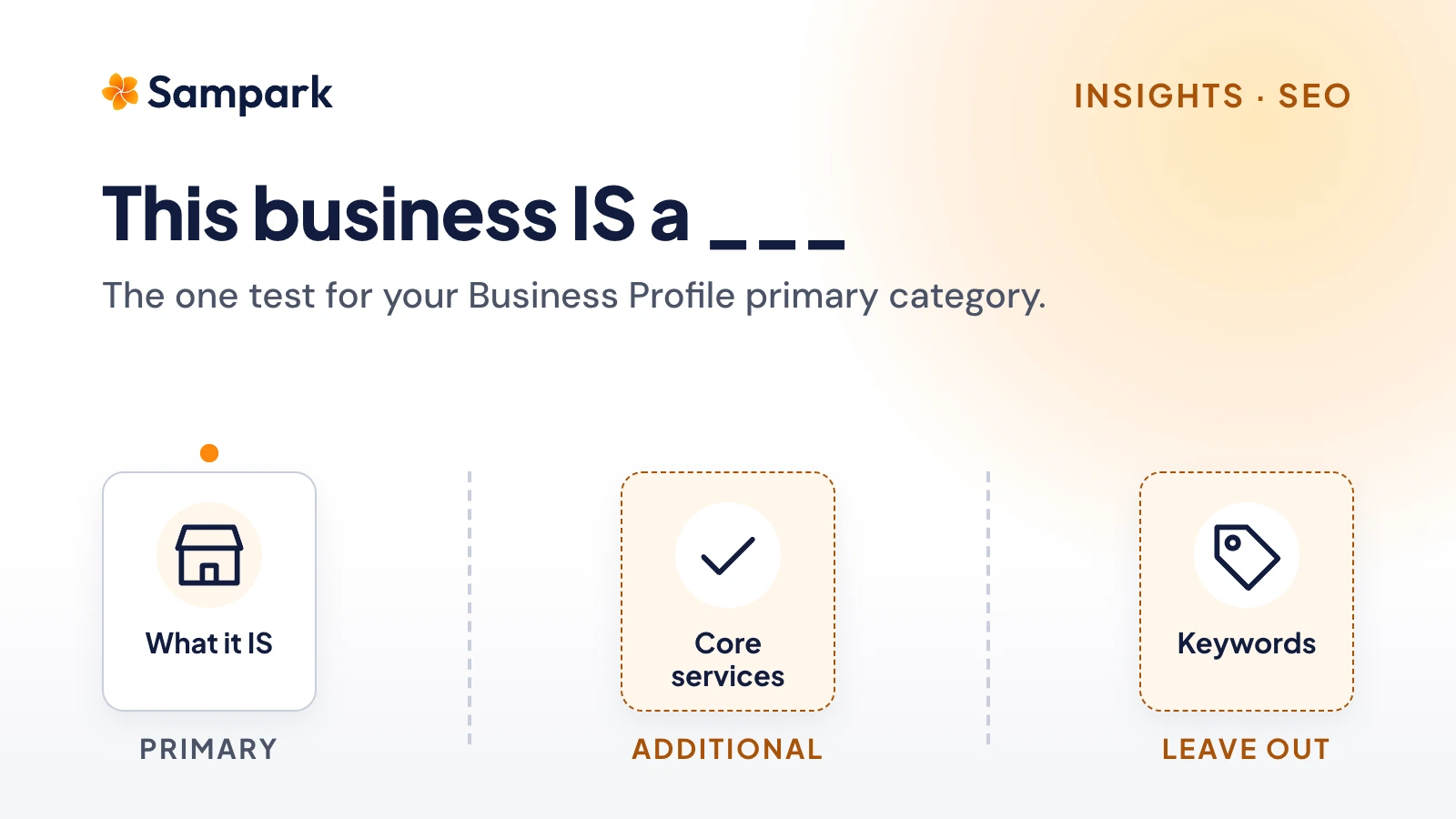
Choose the one category that completes the sentence “This business IS a ___.” Make it as specific as Google’s list allows while still describing your main business, not a side service. Add other categories only for genuine departments or services, and use as few as you can. Google says the categories you select affect your local ranking. It doesn’t say by how much, and it warns that adding or editing a category might mean verifying your business again, so pick carefully rather than often.
The rest of this page sets Google’s own rules, quoted from its Business Profile help pages, next to the vendor advice that sometimes contradicts them.
What Google’s rules actually say
Google’s guidance on categories is short, and it’s spread across a few help pages. Here is the core of it.
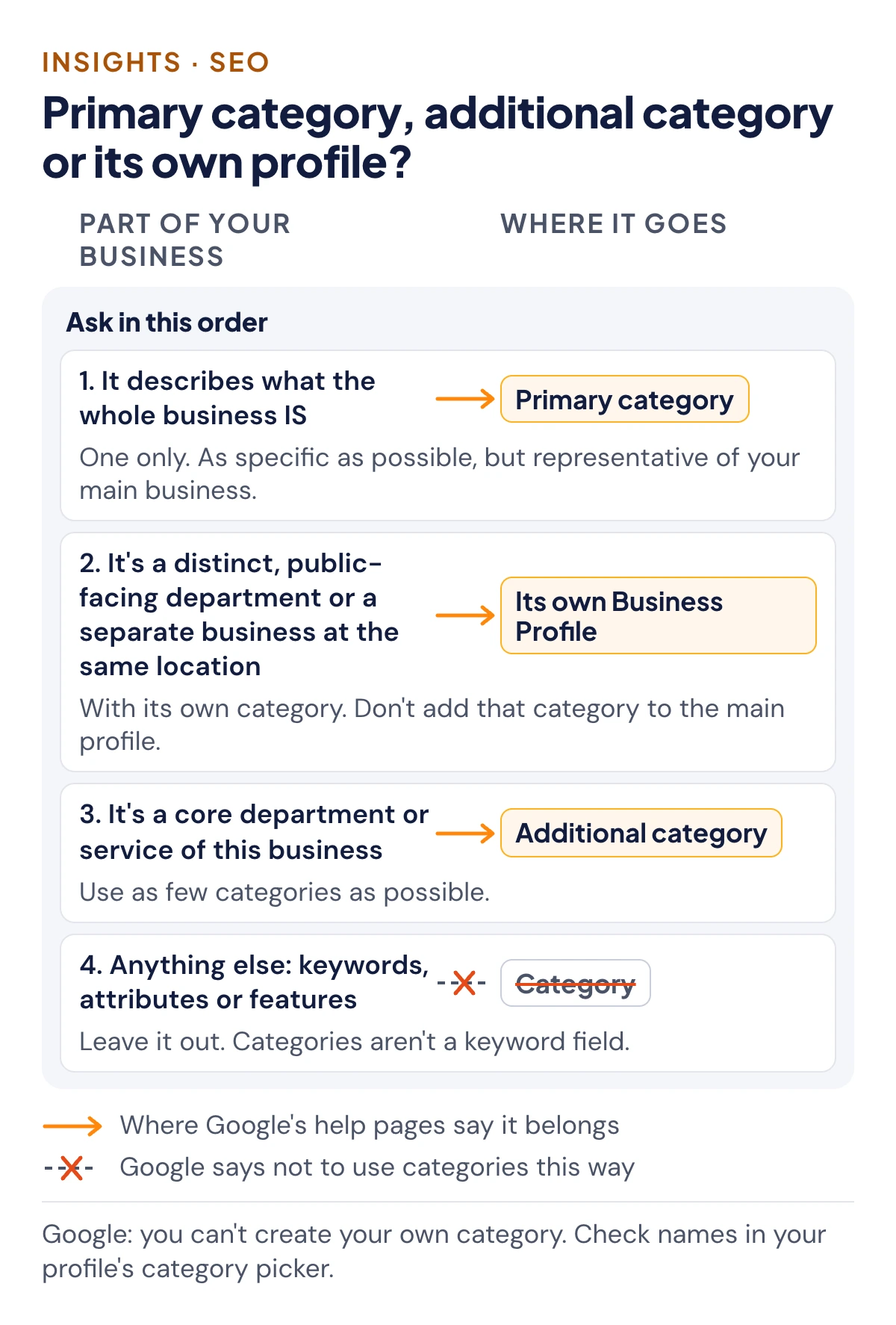
- One primary category for what you are. Google tells businesses to “select a primary category that best describes your business,” and to use additional categories to tell customers about “special departments or services.”
- The IS-a test. Google’s representation guidelines say to “use as few categories as possible” and to pick categories that complete the statement “This business IS a” rather than “this business HAS a.”
- Specific, but representative. Choose a category that is “as specific as possible, but representative of your main business.” If no specific category fits, pick a more general one. “You can’t create your own category.”
- Not a keyword field. Google says not to use categories solely as keywords or to describe attributes or features of the business.
- Chains share one primary. All locations of a chain must share the one category that best represents the business.
Notice what’s missing: on the pages we checked, there’s no list of “best” categories and no ranking weight. There is a limit, though. Google’s page on editing your profile says that after the primary category, “You can select up to 9 more categories.”
How a primary category differs from additional categories and separate profiles
Most category mistakes come from confusing three different tools.
The primary category answers “what is this business?” There’s only one, and Google’s IS-a test is the way to choose it.
Additional categories describe real departments or services of that same business. Google’s “fewest number of categories” guidance means they aren’t a place to list every job you’ve ever done.
A separate Business Profile is the answer when part of the operation is really its own business. Google’s category page says independent, public-facing departments that are “separately owned and operated” within your location should have their own Business Profiles, and you shouldn’t add their categories to yours. Its example is a health club with an independently operated cafe: the health club doesn’t add “Cafe,” and the cafe gets its own profile with Cafe as its primary category. Google’s guidelines also list co-located businesses that should each have their own profile, such as a restaurant, cafe, or bar inside a hotel and a pharmacy inside a supermarket or grocery store, and say that if you need both categories for the same location, “create two profiles instead.” A related example in the guidelines: a Barnes & Noble with a Starbucks inside uses Book Store and shouldn’t add Coffee Shop as a category.
Three illustrative US examples
These are hypothetical businesses, not Sampark clients, and they show how the rules apply. Before you copy a category name, check the exact wording in the category picker inside your Business Profile, because the names in any guide, this one included, may not match what your picker offers.
A heating and cooling contractor. A company that installs and repairs HVAC systems asks what it IS: a heating and cooling contractor. It picks the most specific contractor category that says so as its primary. It adds another category only for a distinct core service it actually sells, and it doesn’t add categories just to target words like “emergency” or “affordable,” which would be using categories as keywords.
A grocery store with an in-store pharmacy. The store IS a grocery store, and that’s its primary category. Google’s guidelines list “a Pharmacy inside of a Supermarket/Grocery Store” among their examples of co-located businesses that should each have their own profile. If your pharmacy fits that example, give it a separate profile with its own category rather than adding a pharmacy category to the grocery profile.
A hair salon that also does nails. The salon IS a hair salon, so the hair category is primary. A nail category is worth considering only if nail services are a core part of the business. If one technician offers manicures on two days a week, that’s something the salon HAS, and the fewest-categories rule argues for leaving it out.
Where vendor advice differs from Google’s rules
Several popular local SEO guides say things Google’s help pages don’t, and a few say the opposite. That doesn’t automatically make them wrong, since practitioners see patterns Google doesn’t document, but you should know which statement comes from where.
| Topic | Google’s help pages say | Vendor guides say |
|---|---|---|
| Ranking importance | “The categories you select affect your local ranking on Google.” No weight or order is given. | Primary category is “considered to be the single most important local ranking factor for a business in the local pack” (BrightLocal) or “the #1 most important local search ranking factor” (Whitespark). |
| How many categories | “Use as few categories as possible.” | Whitespark: “add as many additional categories as you can.” Sterling Sky argues against Google’s fewest-categories guideline, with a general argument (“More categories = more chances to show up for a variety of searches”) and one landscaper case study. |
| Maximum number | Google’s edit page: “You can select up to 9 more categories” beyond the primary. | One primary plus up to nine additional (BrightLocal, Whitespark); “up to 10 categories” (Sterling Sky). These figures match Google’s. |
| Seasonal changes | A category edit “might” trigger re-verification. | Whitespark suggests switching the primary category by season, such as air conditioning in summer and heating in winter. |
Where the “#1 ranking factor” label comes from
The “#1” label traces to Whitespark’s 2026 Local Search Ranking Factors report, published November 6, 2025. In its local pack and Maps table, “Primary GBP Category” ranks first with a score of 227, just ahead of proximity (225) and keywords in the business title (223). The report is a survey of invited local search experts’ opinions (Whitespark lists 47 invited experts, and we didn’t find a respondent count in the report), and it says plainly that “none of the experts have special access to the internal workings of Google’s local search algorithm.”
That’s useful as a measure of what experienced practitioners believe. It isn’t measured ranking data. Google’s own local ranking page names three main factors, relevance, distance, and prominence (its intro calls the third one “popularity”), and says there’s no way to request or pay for a better local ranking. Categories plausibly feed relevance, since they tell Google what kind of business you are, but Google publishes no weight for them.
Before you change a category
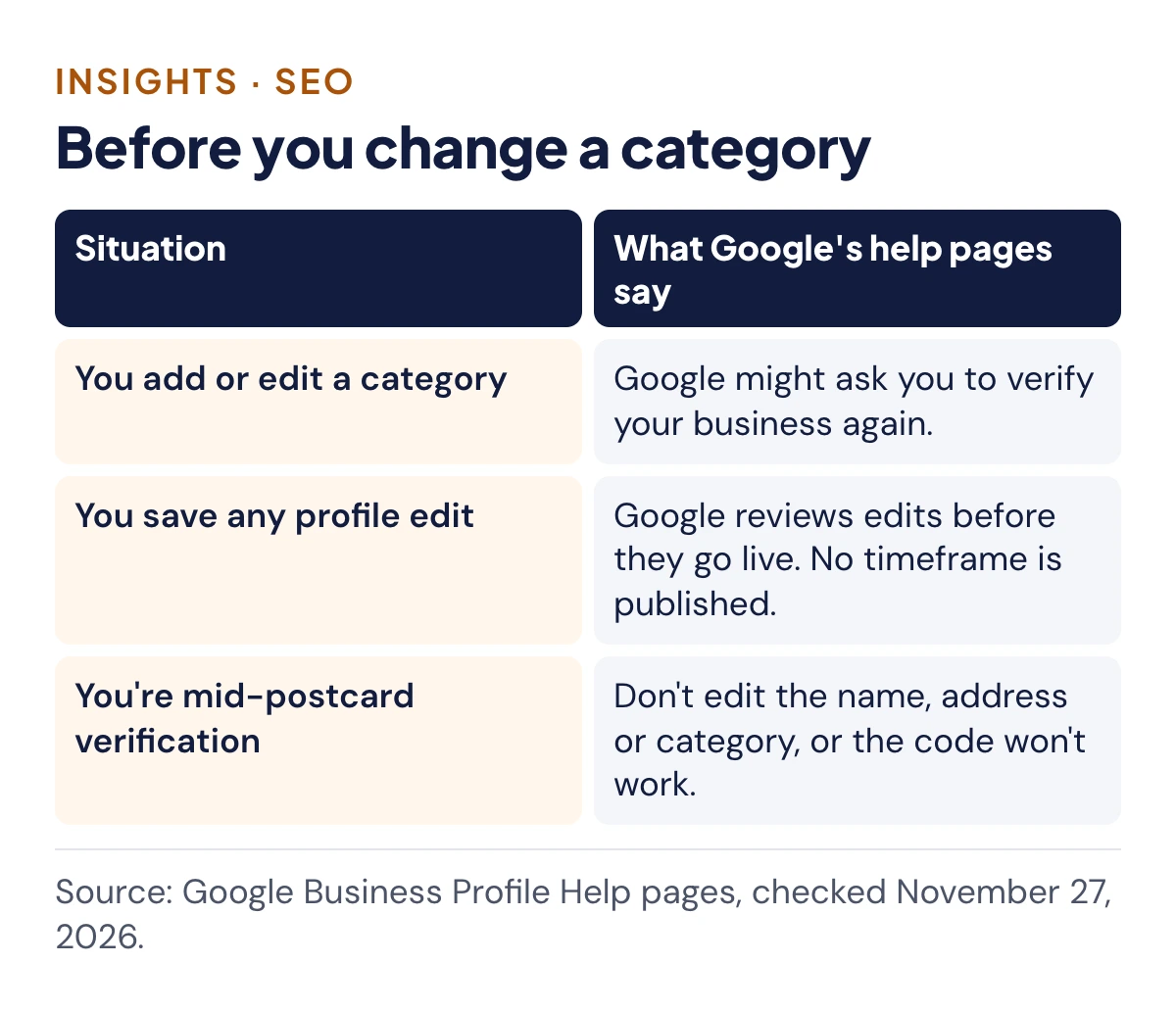
Google’s category page says: “If you add or edit an existing category, you might be asked to verify your business again.” Note the “might”: it’s a possibility, not a certainty. It’s also the reason we’d treat category changes as deliberate decisions.
Two more points from Google’s help pages:
- Google reviews profile edits before they go live, and it doesn’t give a timeframe for that review.
- If you’re in the middle of postcard verification, don’t edit the business name, address, or category, or the code Google sent won’t work.
Our assessment: choose a primary category for the core business you run all year, rather than switching it by season. This is Sampark’s reasoning from Google’s fewest-categories guidance and the re-verification warning. We have no data showing that seasonal switching helps or hurts rankings, and neither does the guidance that recommends it.
Service-area businesses: what changes and what doesn’t
If you serve customers at their locations and don’t serve them at your address, Google calls you a service-area business. Google says to remove your address and list your service areas instead (up to 20). It also says to keep one profile per business and a service area that doesn’t extend farther than about two hours’ driving time from your base, though Google adds that larger service areas may be appropriate for some businesses.
None of those rules changes how you pick categories. The body of Google’s service-area page doesn’t mention categories (its sidebar simply links to the category help articles), so the IS-a test, the fewest-categories rule, and the keyword ban apply exactly as they do to a storefront.
Limits: what Google doesn’t tell you
- No ranking weight. Google says categories affect local ranking, and that’s all it says. Any claim about how much they matter compared with distance, reviews, or your business name is opinion or inference.
- The category limit is on Google’s edit page. Google says you can select up to 9 more categories after the primary, which matches the “one plus nine” figure in third-party guides. Check what your own profile editor allows.
- Check the live list. The category names in this or any guide may not match what your category picker offers, so check the live list before you choose.
- Some features depend on category. Google says you might see special features based on your category. Its examples: hotels can show class ratings and amenities; restaurants can add links for orders, reservations, and menus, plus menu items; health and beauty businesses can add a booking button and a list of services. Check what your own category offers in your profile editor.
- The examples are hypothetical. They aren’t drawn from Sampark client profiles. Real businesses have edge cases a three-paragraph example can’t cover.
What to do next
Open your profile and read your primary category out loud as “This business IS a ___.” If the sentence describes a service you offer rather than what you are, or if you have a stack of additional categories that only exist as keywords, that’s the first thing to fix, keeping the re-verification risk in mind. Accurate profile details matter beyond Maps, too: inconsistent business information is one of the checks in our guide on why ChatGPT doesn’t recommend your business.
If you’d like a second opinion on your categories, Sampark’s SEO team can review them against Google’s guidelines as part of a local SEO review. We won’t promise a ranking change, because no one honestly can.
Sources
All Google pages were checked on November 27, 2026, and re-checked on November 28, 2026. None of them showed an updated date when we checked.
- Google Business Profile Help, Manage your business category
- Google Business Profile Help, Guidelines for representing your business on Google
- Google Business Profile Help, Tips to improve your local ranking on Google
- Google Business Profile Help, Edit your Business Profile
- Google Business Profile Help, Verify your business on Google
- Google Business Profile Help, Manage your service areas for service-area & hybrid businesses
- Whitespark, 2026 Local Search Ranking Factors report (expert-opinion survey, published November 6, 2025)
- BrightLocal, How to Choose the Right Google Business Profile Categories (vendor guide, updated October 2025)
- Sterling Sky, How Many Categories Does Your Google Business Profile Need? (agency post, August 12, 2025)
- Whitespark, Choosing the Right Google Business Profile Categories (vendor guide, January 19, 2026)